
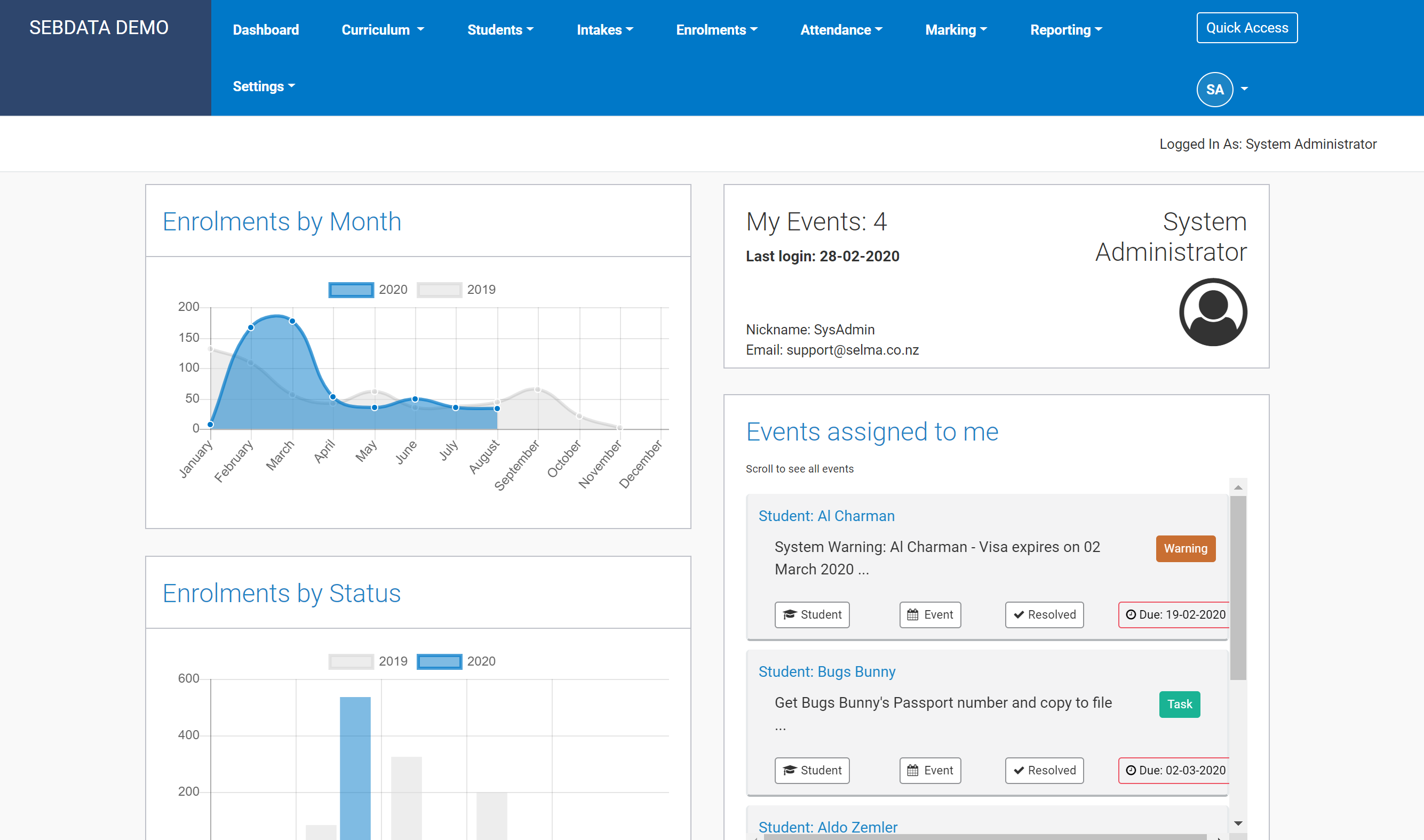
Main Dashboard
This is SELMA’s main (standard) dashboard which displays key performance indicators specific to your education provider. This dashboard can be personalised.
Tutor Dashboard
SELMA users with tutor level access will see the following on their dashboard:

The tutor dashboard displays the following information:
- Student Information:
- Number of domestic and international students related to that particular user
- Pie graph of enrolments, displaying the percentage of enrolments with different possible enrolment statuses
- Information pertaining to attendance %, time in programme %, and progress %
- Intake Information:
- Table of active intakes allocated to specific tutor in SELMA with –
- Intake code
- The number of students in each intake
- The number of students in the intake who’s attendance and work needs to be marked.
- Table of active intakes allocated to specific tutor in SELMA with –
- Class Information:
- Table of active classes that tutor is attached to in SELMA.
Quick Access

Depending on your account’s access authorisation settings, you will find the Quick Access button near you initials on the SELMA home screen. The Quick Access button offers a shortcut allowing you to quickly navigate to key functions within SELMA.
